Shopping for a new restaurant point of sale (POS) system can feel pretty overwhelming – especially when you’re trying to compare TouchBistro vs Square for Restaurants.
But while TouchBistro and Square may seem similar upon first glance, there are some important differences between the two. Square for Restaurants was designed as an extension of the company’s payments terminal and retail services. As a result, many of its restaurant features are newer and more basic. In contrast, TouchBistro was specifically built for restaurants over a decade ago, which means its features are robust and well-tested. In other words, Square is a good option for small food service operations that need to get up and running quickly with a basic POS system, like food trucks, while TouchBistro is better for growing single and multi-location restaurants that need a more robust restaurant management system.
TouchBistro vs Square Key Takeaways:
- TouchBistro: TouchBistro is best for single and multi-location restaurants in need of a robust POS solution that can grow with their business.
- Square for Restaurants: Square is best for small foodservice concepts, such as food trucks and cafes, that need to get up and running quickly.
Quick Comparison of TouchBistro vs Square:
| TouchBistro | Square for Restaurants |
| Exclusively designed for restaurants | Initially designed for small merchants and later for restaurants |
| Runs on Apple iPad tablets | Runs on Apple iPads and proprietary hardware such as the Square Terminal |
| Robust POS features and extensive in-house solutions | More basic POS features and add-on solutions |
| Starts at $69/month USD | Starts at $0/month + payment processing fees |
| Best for single and multi-location restaurants | Best for food trucks and single-terminal venues |
At the end of the day, no restaurant POS system is one-size-fits-all. But with the information in this TouchBistro vs Square POS review, you can figure out which one is the best fit for your particular business.
The information contained on this site is accurate as of the time of publication.
Compare the top restaurant POS systems on features, pricing, payments, and more.
Which POS is Better for Restaurants? TouchBistro or Square
On the surface, TouchBistro and Square for Restaurants are very similar products. According to sites like Forbes, both systems are affordable POS solutions that offer comprehensive solutions for restaurants and other food service establishments.
But when you dig a little deeper, there are some major differences between these popular restaurant POS systems. Below, we’ll provide a detailed overview of TouchBistro vs Square.
| TouchBistro | Square for Restaurants | |
| Regional Availability | CAD, U.S., Mexico, U.K., and more | U.S., Australia, Canada, France, Japan, UK, Ireland, Spain |
| POS System | Cloud-based | Cloud-based |
| Operating System | iOS | iOS, Android |
| Hardware (Tablets) | iPads | iPads, Square Register, and Square Reader |
Are TouchBistro and Square Cloud-Based Systems?
Both TouchBistro and Square are cloud-based POS systems, which means that your data is stored remotely on cloud servers. Cloud-based systems allow you to access your information from anytime and anywhere, as long as you have an internet connection – something that is not true of traditional, legacy POS systems. This is a major plus for restaurants because it gives staff and managers the freedom to move around the restaurant and access information while off -site.
Both TouchBistro and Square are also equipped with a built-in offline mode. POS offline mode ensures that if the internet goes out, staff members can continue to use the POS to update orders, send orders to the Kitchen Display System (KDS), close out orders, and accept offline payments. In other words, offline mode ensures that service never comes to a standstill, even if you lose your internet connection.
What Operating Systems Do TouchBistro and Square Use?
TouchBistro runs on Apple’s iOS operating system, while Square’s operating system depends on whether you’re using Square’s built-in, proprietary hardware, or third-party devices like an iPad.
Essentially, if you are using Square’s dedicated hardware, like the Square Register, Square Terminal, or the Square Handheld, you will be using a highly customized, locked-down version of Android. Square also offers some flexibility to use third-party tablets such as iPads, which run on iOS, but you usually have to use some of Square’s proprietary hardware as well. In short, Square functions as a cross-platform app available on the two major operating systems.
In contrast, TouchBistro exclusively runs on Apple’s iOS operating system, which means the system also relies on Apple hardware. iOS is generally considered a more reliable and user-friendly operating system than Android because Apple owns both the hardware (the iPad) and the software (iOS). This allows for a seamless integration between the POS software and tablets, and automatic updates across devices.
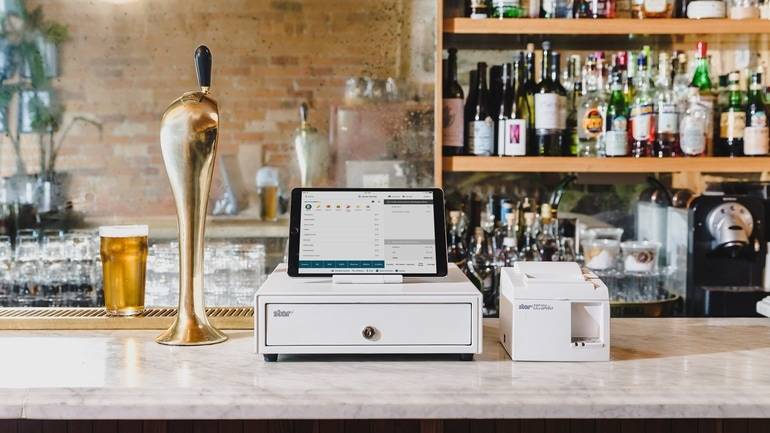
Where are TouchBistro and Square Available?
Though Square is available in many different countries, Square for Restaurants is only available in the U.S., Canada, Ireland, and Spain. Square’s restaurant features are similar in Canada and the U.S., but some of these features may have limited or delayed availability outside of North America.
In contrast, TouchBistro’s POS system is available in the U.S., Canada, Mexico, the U.K., and beyond. TouchBistro offers virtually the same product suite in both the U.S. and Canada, so you won’t encounter any locked features or unavailable add-ons.
Compare the top restaurant POS systems on features, pricing, payments, and more.
TouchBistro vs Square: POS Feature Comparison for Restaurants
TouchBistro and Square offer a very similar set of POS features, however TouchBistro’s features are more robust and scalable for growing restaurants.
| Core POS Features | TouchBistro | Square for Restaurants |
| Menu Management | ✔ | ✔ |
| Staff Management | ✔ | ✔ |
| Floor Plan Management | ✔ | ✔ |
| Tableside Ordering | ✔ | ✔ |
| Reporting | ✔ | ✔ |
| 1:1 Onboarding | ✔ | ✔ |
| Customer Support | 24/7/365 | 24/7 (only with Plus and Premium plans) |
While TouchBistro and Square for Restaurants might appear to be equipped with similar functions, Square is limited by the fact that it was not originally designed for use in restaurants. Square was initially created to help street vendors and small business owners accept credit card payments on their phone. While the company has spent a lot of time developing a restaurant-specific solution, some of its POS features lack the depth of restaurant-specific solutions like TouchBistro.
For instance, Square POS reviews note that certain restaurant workflows such as bill splitting, the routing of kitchen tickets, or inventory tracking, are clunky or require manual workflows. As restaurants grow, these kinds of manual processes or inefficient workarounds create extra complexity.
Some Square restaurant POS reviews also note that the platform comes up short when it comes to its reporting and analytics. Square was designed for simplicity, which means its POS reports are on the more basic side. Operators also note that these reports often have to be pulled up manually or on mobile, which means more time is spent simply finding the information you need.
For very small restaurants with limited inventory and a lower volume of orders, Square’s basic POS and reporting functions are more than sufficient. However, restaurants that process a high volume of orders may find that Square for Restaurants lacks some of the important features and reporting functions that they need to run their business – especially if they plan on scaling.
In contrast, TouchBistro was specifically built for restaurants from day one, which means all of its core POS features have been designed with food service businesses in mind. Not only does TouchBistro offer advanced table management, patented bill splitting, and automated reporting, but all of these features are also built to scale. Whether you have one location or 10, all of TouchBistro’s features are designed to grow with you and to help you manage multiple units at once.
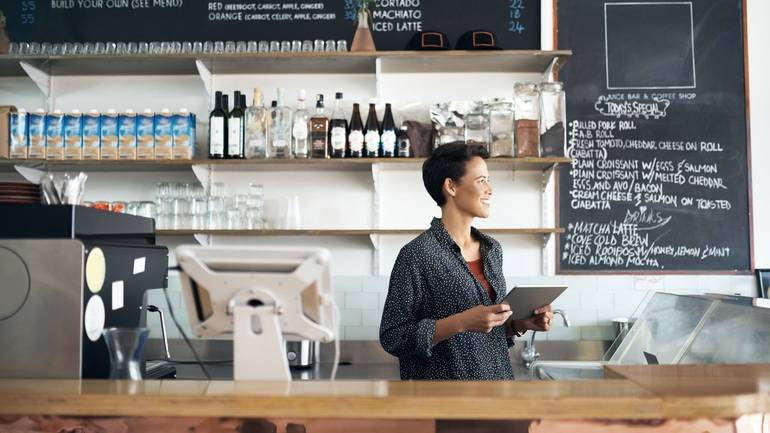
Comparing TouchBistro iPads to Square Hardware
Both TouchBistro and Square use Apple iPad tablets, but Square also requires the purchase of proprietary Square terminals in most cases.
| Hardware Options | TouchBistro | Square for Restaurants |
| Handheld Terminal | iPad, TouchBistro One | Square Handheld or iPad |
| Baseline Countertop Terminal | iPad | Square Register, Square Terminal, or Square Stand with iPad |
| Payment Terminals | Various options depending on payment processor | Square Terminal or Square Reader |
What Hardware Does Square Offer?
If you use Square for your restaurant, most setups require the use of proprietary Square hardware, with some flexibility to use Apple iPads. Restaurants cannot use non-Square Android tablets for POS.
Square’s proprietary hardware includes handheld POS terminals like the Square Handheld and countertop touchscreens like the Square Register. Square’s devices are sleek, compact, and portable, which makes them a great option for smaller restaurants, especially businesses that require mobile devices like food trucks and pop-ups. However, the drawback of proprietary devices is that they are expensive to purchase upfront, and hard to replace when they are phased out or break because you can only order new devices through Square. Plus, if you do decide to switch systems, Square’s proprietary hardware cannot be used with other POS systems, so you cannot recoup your costs.
And while Square does advertise “free” hardware upfront, this deal often requires lengthy contracts and higher payment processing fees, both of which can end up being more expensive than purchasing the hardware outright.
What Hardware Does TouchBistro Offer?
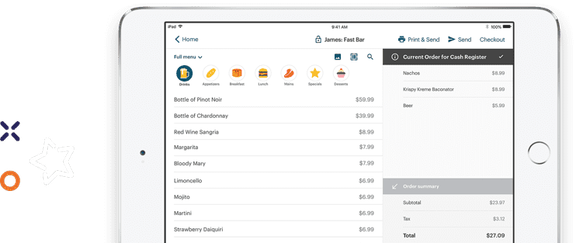
TouchBistro is an iPad-based POS system, which means you can use Apple iPads as your POS terminal and handheld devices. The benefit is that, if you’re switching from another iPad-based POS system, you can continue using the same iPad tablets as long as it’s a compatible generation – a huge cost savings. And if you do need to purchase hardware upfront, TouchBistro also offers hardware financing to reduce any initial costs. Or, TouchBistro offers an Essential bundle with $0 upfront hardware.
Another benefit to iPad POS systems is that iPads are some of the most user-friendly tablets on the market. Whether your staff is familiar with Apple devices or not, the products are very intuitive and easy to learn right out of the box – something that can save you a lot of time when setting up your system and training new staff members.
Compare the top restaurant POS systems on features, pricing, payments, and more.
TouchBistro vs Square for Restaurants: Payments Options
Both TouchBistro and Square offer integrated payment processing for restaurants. However, there are some differences in your payment processing hardware options and fees.
Square is first and foremost a payment processing solution, which means the company excels when it comes to payment solutions. When you sign up with Square for Restaurants, you also sign up for the company’s integrated payment processing technology and hardware. Square’s payment processing hardware, such as its Square Terminal and Square Reader, is known for being extremely easy to use and highly portable. This is a huge benefit for operators who need the flexibility to take payments on the go, such as food trucks. However, some Square POS reviews on reddit note that Square’s payment terminals tend to be prone to bugs, such as losing bluetooth connection, damaged reader errors, and buggy software updates – all issues that can be extremely costly.
TouchBistro also offers restaurants an integrated payment processing solution called TouchBistro Payments. TouchBistro partners with a trusted financial institutions for payment processing, so its payment processing hardware is specifically designed for high-volume businesses such as restaurants. Options include both wireless and countertop terminals, and each is equipped with offline resiliency so you can continue taking credit card payments, even if you lose your WiFi connection.
Square vs TouchBistro Credit Card Processing Fees Comparison
Square offers flat rate payments that range from 2.6% to as high as 3%+, while TouchBistro custom-quoted rates.
| Payment Processing Solutions | TouchBistro | Square for Restaurants |
| Payment Processing Rates | Custom-quoted | Credit card present: 2.5% per transaction Card not present: 2.8% + $0.30 per transaction Debit card present: 0.75% + $0.07 per debit transaction Manually keyed in: 3.3% + $0.15 per transaction |
Square is similar to Toast in that it often bundles processing with software, making it hard to separate true costs. In other words, you usually receive “free” or discounted hardware upfront, but that comes with higher payment processing rates. Additionally, these rates can rise after sign-up, which means you can end up paying more than you expect each month.
In contrast, TouchBistro’s payment processing rates are custom-quoted and include discounts for higher volume businesses. And once you sign up, your rates are locked in, so you don’t have to worry about any surprise increases over time.
Comparing TouchBistro vs Square’s Add-On Solutions
TouchBistro and Square both offer a wide range of add-on solutions, however, TouchBistro’s add-ons are more robust and built to scale.
| Add-On Solutions | TouchBistro | Square for Restaurants |
| Integrated Payments | ✔ | ✔ |
| Inventory | ✔ | ✔ |
| Labor Management & Staff Scheduling | ✔ | ✔ |
| Online Ordering | ✔ | ✔ |
| Integrated Delivery | ✔ | ✔ |
| Reservations | ✔ | ✘ |
| Gift Cards | ✔ | ✔ |
| Loyalty and Customer Relationship Management | ✔ | ✔ |
| Marketing | ✔ | ✔ |
| Back Office Management | ✔ | ✔ |
| Self-Serve Kiosks | ✘ | ✔ |
| Kitchen Display System (KDS) | ✔ | ✔ |
| Digital Menu Board | ✘ | ✘ |
Square offers a number of add-on solutions for restaurants, including online ordering, loyalty, and advanced inventory management, as well as new solutions such as Square for Drive-Thru. However, as many Square restaurant POS reviews point out, some of these add-on solutions are limited in their functionality for growing restaurants and multi-units. For instance, Square’s Team Management solution has features such as clock in/out, scheduling, and team insights, but lacks advanced labor forecasting options. Similarly, Square’s reservation solution, Square Appointments, is a very basic tool that is designed for hair and nail salons, rather than restaurants. If you want a robust reservations solution, you’ll need to use an integration like OpenTable, which can be an expensive option.
In contrast, all of TouchBistro’s add-on solutions have been specifically designed for restaurants and are built to scale. In fact, solutions like TouchBistro Inventory Management and TouchBistro Labor Management are well-equipped with enterprise-level features, and are used by multinational chains.
TouchBistro also offers an integrated reservations system called TouchBistro Reservations. This is a complete reservation and guest management platform that allows you to accept and manage mobile and web reservations, create digital waitlists, and communicate with guests via SMS and email. These reservations sync directly to your POS for a seamless flow of information between the front of house and back of house. Restaurants that use TouchBistro Reservations are also automatically listed on the TouchBistro Dine platform, letting them tap into an existing customer network.

Square vs TouchBistro POS Subscription and Hardware Cost Breakdown
TouchBistro starts at $69 USD per month for POS software, while Square has a free plan for a very basic version of its software.
TouchBistro vs Square: Software Costs
| Pricing | TouchBistro | Square for Restaurants |
| Software Pricing | Point of Sale: starting at $69 USD / month Essentials: starting at $119 USD / month (includes $0 upfront hardware) Custom Setup: custom pricing | Free Plan = $0 / month (limited capabilities) + payment processing fees Plus Plan = $60 USD / month + payment processing fees Premium Plan = custom pricing |
Square is a bit of an anomaly in the POS space in that it offers a free version of its software. However, the free version of the Square POS system is very limited in its capabilities, with no weekend or after-hours support. Additionally, the free option requires you to sign up for a lengthy contract, buy all your hardware, and pay higher payment processing fees – all of which can end up costing more in the long run. In other words, your software costs are simply baked into other fees.
For a more complete restaurant POS, there is Square’s Plus package, which is at a very affordable price point for most operators. One device will cost you $60 USD per month per location and comes with all of Square’s core POS features, full reporting, and 24/7 support. For each additional device you need, you’ll pay another $40 per month. Again, you also need to factor in the cost of your hardware, any add-on solutions, and Square’s credit card processing fees since Square does not integrate with other payment processors
On the other hand, TouchBistro’s software starts at $69 USD per month. While this monthly fee is slightly higher than Square for Restaurants, you also get a lot more. In addition to 24/7 support, all of TouchBistro’s packages include the core POS features, which are more robust and built-out than Square’s. TouchBistro also custom-quotes your payment processing rates and then locks those in for you, so you don’t have to worry about surprise fees.
TouchBistro vs Square: Hardware Costs
| Hardware Costs | TouchBistro | Square for Restaurants |
| Primary Terminal | $329+ (iPad + Stand) | $799 (Square Register)$149 + $329 (Square Stand with iPad) |
| Handheld Device | $329+ (iPad Mini) | $299 Square Handheld $329+ (iPad) |
As stated on its website, hardware is not included with your Square for Restaurants subscription, so you’ll need to factor that into your upfront costs. Though there is some flexibility with iPad setups, most restaurants will need to purchase some of Square’s proprietary hardware, which is costly and has minimal resale value.
Square has been known to offer “free” hardware for some restaurants. In these cases, you end up paying higher payment processing fees, which can end up costing more than the hardware itself.
In contrast, TouchBistro’s hardware is relatively cheaper because you’re paying for iPads, which are non-proprietary devices. With TouchBistro, you also own your own hardware, have the option to finance it, and the iPads have strong resale value. This means that if you ever choose to switch systems, you can take your hardware with you.
Comparing TouchBistro vs Square’s Integrations
TouchBistro and Square integrate with many of the same leading restaurant-industry solutions. This includes staff scheduling software like 7shifts, online ordering aggregators like Deliverect, and accounting software like Quickbooks.
| Integration Partners | TouchBistro | Square for Restaurants |
| Online Ordering and Delivery | ✔ | ✔ |
| Reservations | ✘ (native solution, TouchBistro Reservations) | ✔ |
| Customer Relationship Management and Loyalty | ✘ (native solution, TouchBistro Loyalty) | ✔ |
| Staff Management, HR, and Payroll | ✔ | ✔ |
| Inventory Management | ✔ | ✔ |
| Accounting | ✔ | ✔ |
| Reporting and Analytics | ✔ | ✔ |
| Ecommerce | ✘ | ✔ |
| Kiosks | ✘ | ✔ |
In a head-to-head comparison of Square vs TouchBistro, Square does offer a few more third-party integrations for restaurants. When customers begin using Square for Restaurants, they gain access to the Square App Marketplace, which includes integrations for some services that TouchBistro doesn’t support, such as eCommerce, hospitality, and Customer Relationship Management software (CRMs).
Though TouchBistro supports fewer third-party integrations, TouchBistro’s curated list of integration partners is comprised of industry-leading solutions. For instance, TouchBistro supports Push Operations for payroll, MarketMan for inventory, and DoorDash for direct online ordering. Though TouchBistro’s list of integration partners is narrower, most restaurants will be able to use their preferred software partners with TouchBistro.
TouchBistro also has its own native solutions for many of these services. For instance, TouchBistro offers its own integrated reservations platform, online ordering solution, and back office management software. In contrast, Square users have to rely on expensive third-party integrations to get some of these advanced features. And unlike in-house solutions, not all of these integrations were created to sync directly with a restaurant POS, which increases the likelihood of errors and bugs.
The option to add additional services on an ad hoc basis can certainly work for some very small restaurants or food trucks that don’t need a full suite of services. However, it presents a challenge for larger restaurants that need many different tools to run their business. For these larger restaurants, trying to integrate Square with a dozen different third-party apps can make things far more complicated and increase the risk of error.
Compare the top restaurant POS systems on features, pricing, payments, and more.
Comparing TouchBistro and Square’s Customer Support
TouchBistro offers free 24/7 support with all of its plans, while Square limits support for those on its free plan.
As mentioned, if you are using Square’s Free plan, support is only available Monday through Friday from 6 a.m. to 6 p.m. Unfortunately, most restaurants operate outside those hours, meaning you might not be able to get instant support when you need it, like in the middle of a busy dinner service.
If you pay for Square’s Plus or Premium plans you will have access to 24/7 technical support. However, you do need to call to receive your customer support code before you can speak to a live rep. If you’re facing an emergency situation, this system can be a bit of an inconvenience. But if you’re dealing with a more minor issue, the company does offer email support and a number of online resources to help you troubleshoot problems on your own.
In contrast, TouchBistro offers free 24/7 technical support and customer service via phone or email, 365 days of the year – regardless of what plan you’re on. This means that operators can get answers to any questions they may have from TouchBistro’s in-house support team, whether it’s in the middle of a lunch service or the middle of the night. TouchBistro customers can also access an extensive online resource library, complete with step-by-step guides and videos that restaurateurs can use to troubleshoot any issues.
Frequently Asked Questions (FAQs)
Which is better for small cafés, TouchBistro or Square?
For small cafes, Square is generally the better option because of its free software option and simple counter-service hardware. However, if you need more than one POS terminal or plan to grow your cafe business over time, TouchBistro is the better option because its software and advanced features are built to scale with you.
Is TouchBistro or Square better for food truck businesses?
Square is the better option for food trucks because of its lightweight, wireless, and portable hardware, such as the Square Reader. Square also boasts a highly reliable offline mode, which is beneficial for food trucks operating in farmers’ markets or remote event venues where Wi-Fi and cell signals drop,
Is TouchBistro or Square better for new restaurant owners?
TouchBistro is the better POS option for new restaurant owners because of its industry-specific design. TouchBistro was specifically built for restaurants, which means all of its features and workflows are designed with food service operators in mind, such as visual floor plan management, the ability to move a bar tab to a dining table, and splitting bills by seat number. In contrast, Square was originally designed for retail, which means many of its restaurant features are more limited. For instance, Merchant Maverick points out that Square’s native inventory only tracks whole items, not ingredients.
Which iPad POS is best for busy full service restaurants?
TouchBistro is the best iPad POS for busy full service restaurants because it was specifically engineered to handle the distinct needs of restaurants, including complex food and beverage workflows. Unlike other iPad POS systems like Square or Lightspeed (both of which are also designed for retail), TouchBistro focuses heavily on smooth server workflows and fast bill-splitting, helping minimize the chaos of a busy floor. With features such as superior visual table-management, bill splitting by seat, and a native reservations system, TouchBistro is the most reliable option for busy full service restaurants.
Which restaurant POS offers integrated reservations and waitlists?
TouchBistro offers a fully native, deeply integrated reservations and waitlist platform built specifically for full-service restaurants. TouchBistro Reservations talks directly to the POS, so when a reservation walks through the door, you can drag and drop their name directly onto an open table to seat them, which instantly opens up a live bill for the server. TouchBistro Reservations also tracks table statuses in real-time (i.e. the host can see if a table is on appetizers, mains, or has paid).
Square’s only waitlist and reservation tool is Square Appointments, which is designed for salons, barbershops, and service-based businesses, not table management. Restaurants using Square need to use a third-party integration, such as OpenTable, if they want to take reservations.
TouchBistro vs Square for Restaurants: The Bottom Line
When you compare these reviews of TouchBistro and Square, TouchBistro is the clear winner for growing quick service and full service restaurants, while Square is the better option for small cafes, food trucks, and pop-ups.
Square for Restaurants is the better option for small food service venues because it’s easy to get up and running quickly, , and there is a free version of the software that lowers the barrier to entry. And if you only need one POS terminal and credit card reader, Square’s hardware setup is a budget-friendly choice (minus the payment processing fees).
On the other hand, TouchBistro is a better option for busy quick service and full service restaurants. Operators can no longer rely on entry-level, retail-first systems like Square. Instead, they need restaurant-specific technology like TouchBistro that’s designed to seamlessly handle complex coursing, fast tableside ordering, intense kitchen communication, and frantic bill-splitting during the evening rush. And with native solutions for the front of house, back of house, and guest engagement, TouchBistro can grow right alongside your business.
While restaurant POS system reviews can give you better insight into the ins and outs of each system, it’s important to factor in your own business needs – from hardware costs to payment processing needs. With this head-to-head comparison of Square vs TouchBistro restaurant POS systems, you now have the information you need to give each solution your own ratings and choose the best one for your restaurant and your team.
Know someone looking at Square alternatives or switching POS systems? Refer them to TouchBistro and get rewarded.

Katherine is the Content Marketing Manager at TouchBistro, where she writes about trending topics in food and restaurants. The opposite of a picky eater, she’ll try (almost) anything at least once. Whether it’s chowing down on camel burgers in Morocco or snacking on octopus dumplings in Japan, she’s always up for new food experiences.
Comparing POS systems? Get our Ultimate Guide
The right POS should help you increase sales
The right POS should help you increase sales.